How to Write Effective AI Prompts for OnlyFans Content
Your prompt is everything. This practical guide teaches you how to write AI prompts that produce consistent, high-quality results on OFGenerator — with ready-to-use templates for images and video.
Why Prompts Make or Break Your Results
Two creators using the same AI tool can get completely different results. The difference isn't the tool — it's the prompt.
A weak prompt gives the AI too much freedom. The output is unpredictable, inconsistent, and rarely matches what you had in mind. A strong prompt gives the AI precise direction and produces results you can replicate.
Learning to write good prompts is the highest-leverage skill in AI content creation. It doesn't require technical knowledge — just a clear understanding of how to communicate with the model.
The Four Components of a Strong Prompt
Every effective prompt — whether for images or video — is built from the same four components:
1. Subject — Who or what is in the content? Describe the person with specific physical details: hair color and length, skin tone, eye color, body type, expression, and what they're doing. Weak: "a woman" — Strong: "a woman with long auburn hair, light skin, green eyes, confident expression, standing with arms crossed"
2. Setting — Where are they? What's the environment? Be specific about location, time of day, and key visual elements. Weak: "outside" — Strong: "on a rooftop terrace at golden hour, city skyline in the background, warm evening light"
3. Mood and lighting — What atmosphere does the content convey? Lighting is one of the most powerful mood levers in visual content. Weak: "good lighting" — Strong: "soft diffused natural light, warm tones, intimate and relaxed atmosphere, gentle shadows"
4. Style and quality — How should the image look technically? This prevents the AI from defaulting to a generic aesthetic. Weak: nothing specified — Strong: "photorealistic, high resolution, sharp focus, editorial photography style"
Prompts for Text-to-Image
T2I prompts need all four components in full, since the AI has no visual reference to work from.
Template: "[Subject with physical details], [setting with location and time], [mood and lighting], [style and quality keywords]"
Boudoir example: "A woman with long dark hair and olive skin, lying on white silk sheets in a sunlit bedroom, soft morning light through sheer curtains, warm intimate atmosphere, photorealistic, high resolution, editorial style, sharp focus"
Outdoor lifestyle example: "A woman with short blonde hair and fair skin, sitting at a café terrace, midday natural light, casual and confident mood, street photography style, shallow depth of field, high resolution"
Fantasy example: "A woman with silver hair and pale skin, standing in an enchanted forest at dusk, ethereal purple and blue lighting, mysterious and cinematic atmosphere, fantasy art style, highly detailed, photorealistic rendering"
Style keywords that consistently improve results: photorealistic, hyperrealistic, editorial photography, natural skin texture, high resolution, sharp focus, professional lighting, cinematic, intimate, dramatic.
Negative Prompts for Text-to-Image
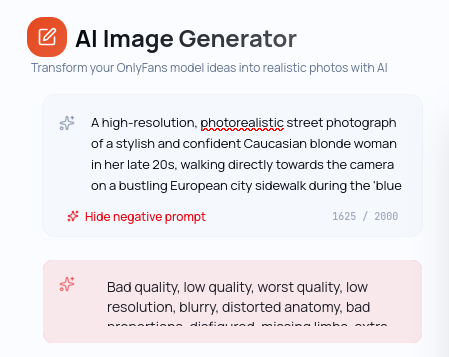
A negative prompt tells the AI what to exclude from the generation. It's one of the most effective ways to fix recurring problems in your output.
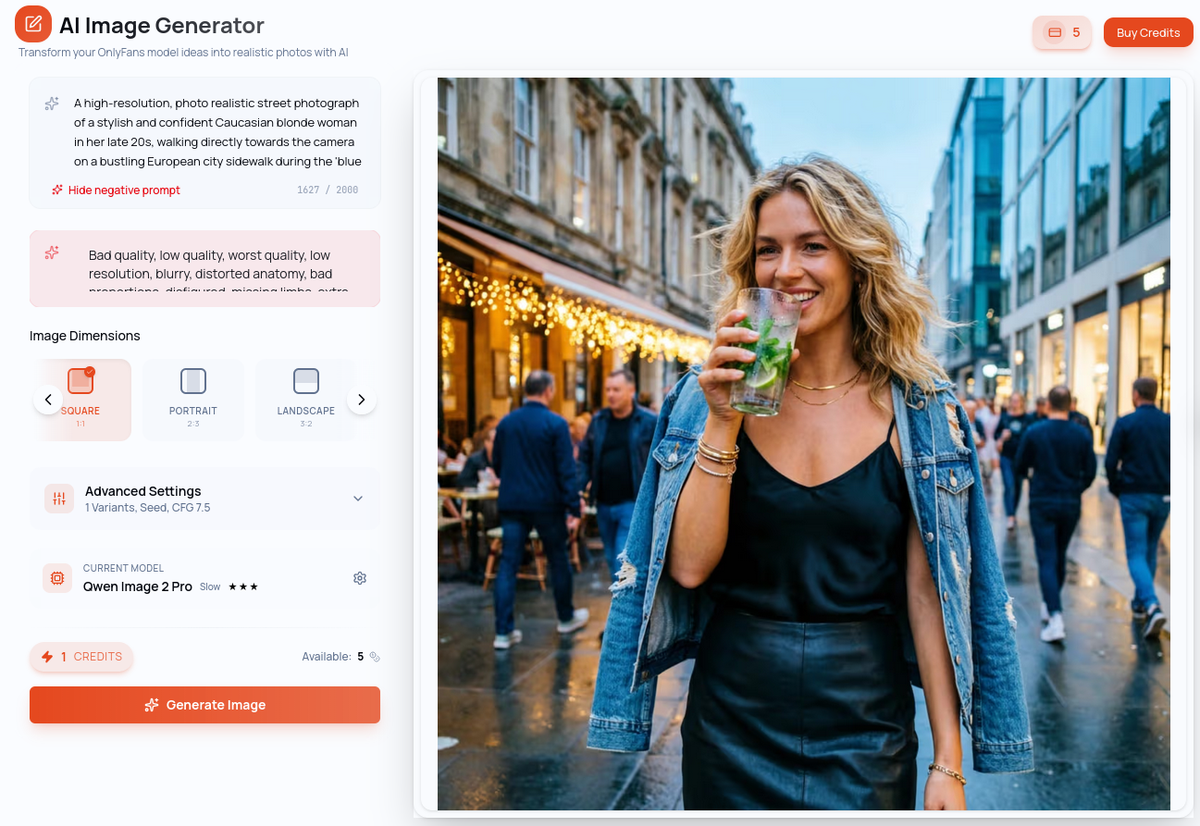
How to use it: List the elements you want the AI to avoid — poor anatomy, unwanted objects, visual artifacts, specific aesthetics that don't fit your brand.
Common negative prompt: "blurry, low quality, bad anatomy, deformed hands, extra limbs, watermark, text, logo, cartoon, anime, illustration"
To fix lighting issues: Add "overexposed, underexposed, harsh shadows, flat lighting" to your negative prompt.
To fix style drift: Add the styles you want to avoid: "painting, sketch, 3D render, CGI" if you want photorealism.
Note: negative prompts are available for Text-to-Image and video generation on OFGenerator. They are not available for Image-to-Image — focus on a precise positive prompt there instead.
Prompts for Image-to-Image
With I2I, your model handles the subject — so your prompt focuses on the new context you want to place them in. You don't need to re-describe the person.
Template: "[New setting], [mood and lighting], [style and quality keywords]"
Luxury interior example: "Luxury hotel room, evening light, champagne on the nightstand, sophisticated and intimate atmosphere, photorealistic, high resolution"
Beach example: "Sandy beach at sunset, golden hour light, ocean in the background, relaxed and carefree mood, lifestyle photography style, sharp focus"
Urban night example: "City street at night, neon reflections on wet pavement, moody and cinematic atmosphere, urban editorial style, high contrast, photorealistic"
What to avoid in I2I prompts: don't re-describe the subject's physical appearance, don't use contradictory settings, don't over-specify. Three to four focused elements outperform a ten-element list.
Prompts for Video Generation
Video prompts follow the same structure as image prompts, with one critical addition: motion description. The AI needs to know what moves, how it moves, and at what speed.
I2V template: "[Motion description], [setting context if changing], [mood and lighting], [style]"
Subtle animation example: "Slow, gentle breathing movement, hair softly moving in a light breeze, warm ambient lighting, intimate and still atmosphere"
Environmental motion example: "Slight head turn to the right, eyes following the camera, soft smile forming, natural indoor lighting, cinematic style"
T2V template: "[Scene description with movement], [mood and lighting], [style]"
T2V example: "A woman walking slowly through a sunlit forest, dappled light through the trees, peaceful and cinematic atmosphere, smooth tracking camera movement, high quality"
Motion keywords that improve video results — slow and natural: slow motion, gentle, subtle, smooth. Camera movement: slow pan, tracking shot, steady cam, cinematic camera movement. Avoid: running, jumping, complex gestures — these generate inconsistently.
Negative prompts are also available for video generation. Use them to exclude: "shaky camera, abrupt cuts, distorted motion, blurry, low quality".
Common Prompt Mistakes
Being too vague. The AI fills in what you don't specify — and it won't always choose well. Every detail you leave out is a variable you don't control.
Describing too many things at once. A prompt with 15 elements produces confused, incoherent results. Five precise elements outperform fifteen scattered ones.
Forgetting the quality keywords. Without photorealistic or equivalent, results default to a generic aesthetic. Always close your prompt with style and quality direction.
Using the same prompt structure for different tools. An I2I prompt needs less subject description than a T2I prompt. A video prompt needs motion. Match your prompt structure to the tool you're using.
Not iterating. Your first prompt is rarely your best. Change one element at a time, observe the effect, and build toward what works.
Building Your Prompt Library
Your best prompts are assets. Save every configuration that produces strong results.
Create a simple text file per model with sections by content type:
T2I — BOUDOIR: [paste working prompt + negative prompt]
T2I — OUTDOOR: [paste working prompt + negative prompt]
I2I — URBAN NIGHT: [paste working prompt]
I2V — SUBTLE ANIMATION: [paste working prompt + negative prompt]
When a generation works particularly well, save the prompt immediately — before you forget what you changed. Over time, this library becomes the foundation of your production workflow. New content sessions become about selecting and combining proven configurations, not starting from scratch.
Ready to put these prompts to work? Generate your first image on OFGenerator — new accounts include 10 free credits.