How to Create Consistent AI Avatars for Your OnlyFans Brand
Your avatar is your brand. This guide shows you how to create a consistent, recognizable AI persona on OFGenerator and use it across all your content — images, videos, and beyond.
OFGenerator Team5 min read
On subscription platforms, subscribers don't just buy content — they buy into a persona. They come back because they recognize your look, your style, your aesthetic. The moment your visuals become inconsistent, that recognition breaks down.
This is the central challenge of AI-generated content: every generation can produce a slightly different result. Without a deliberate consistency strategy, your feed ends up looking like multiple different people — and that confusion costs you subscribers.
A well-built avatar solves this. One clearly defined persona, used as the reference for every generation, creates the visual coherence your audience needs to build attachment and trust.
What Makes a Great AI Avatar
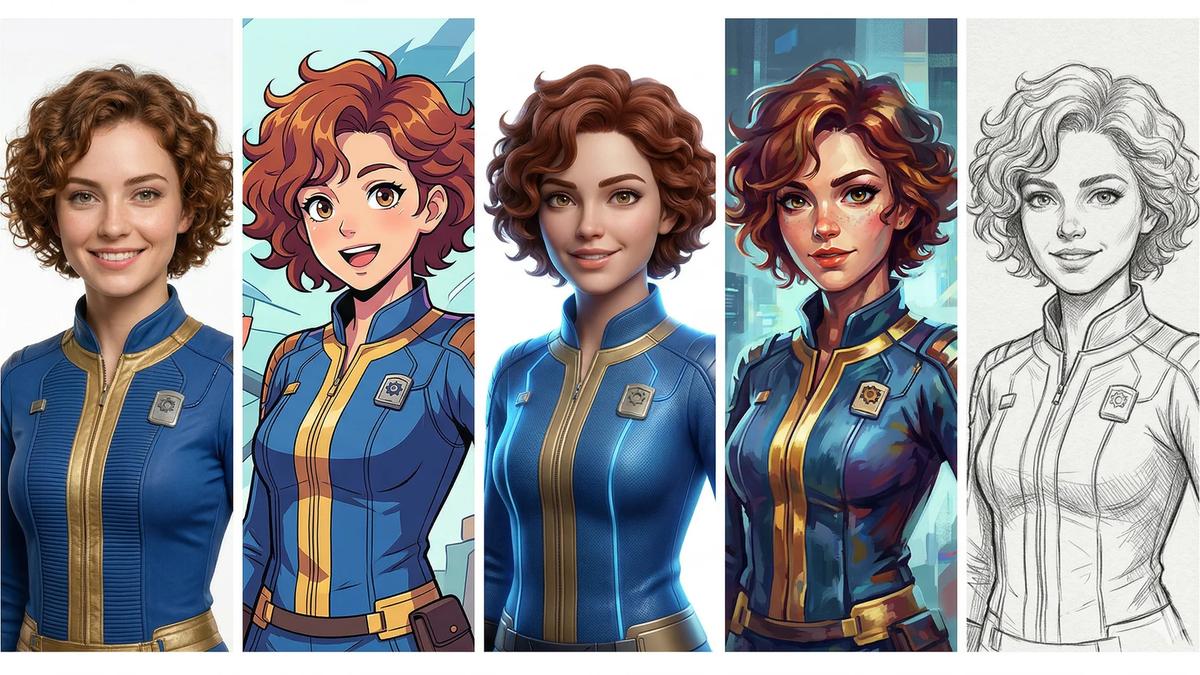
A great avatar isn't just a pretty image. It's a set of clearly defined, reproducible visual characteristics that the AI can use as a stable reference.
Physical characteristics — The foundation. Face shape, eye color, hair color and style, skin tone, distinctive features. These need to be defined precisely enough that the AI produces consistent results across different scenarios.
Style and aesthetic — The mood and visual language of your content. Glamorous, natural, edgy, soft — your avatar's style should match the type of content you're creating and the audience you're building.
Versatility — A great avatar works across different contexts. It looks right in a bedroom scene, on a beach, in a studio setting. If your avatar's definition is too narrow, you'll struggle to generate varied content without breaking consistency.
Step-by-Step: Creating Your Avatar on OFGenerator
Step 1: Choose your creation method
Contents
OFGenerator offers two ways to create your avatar:
Avatar Creator: Fill in your character's physical attributes through a guided form — face shape, eye color, hair style, skin tone, body type, and more. The platform generates your avatar from those parameters. Best if you have a precise vision of what you want.
Text-to-Image: Write a detailed text description of your character and generate your avatar as an image. Best if you prefer to explore visually and iterate from results.
Step 2: Define your core characteristics
Before generating, write down the non-negotiable characteristics of your persona — the features that must remain consistent in every piece of content. At minimum:
Hair color and style — Eye color — Skin tone — Key distinguishing features
These become your consistency checklist. Every generation should match them.
Step 3: Evaluate your result
Once generated, assess your avatar against these criteria:
Is it distinctive enough to be recognizable? A generic look blends into thousands of other AI-generated personas. A distinctive one builds brand recognition.
Does it work across different lighting conditions? Your avatar will appear in many different scene types. Make sure it reads clearly in both warm and cool lighting.
Does it match the aesthetic you want for your content? The style of your avatar sets the tone for your entire catalog.
Can you imagine it in a variety of scenarios? A good avatar is versatile. If it only works in one type of scene, you'll quickly run out of content ideas.
If the answer to any of these is no, refine your inputs and regenerate. Getting your avatar right at this stage saves significant effort later.
Step 4: Download your avatar and use it as your reference
Once you're satisfied with your avatar, download the generated image. This file becomes your reference for all future Image-to-Image and Image-to-Video generations — upload it as the reference image each time you want to generate content featuring your persona.
Every piece of content flows from this single source. This is why it's worth taking the time to get it right before moving on to production.
Using Your Avatar Across Content Types
Images (I2I): Your primary use case. Upload your avatar into Image-to-Image to generate new scenes — different poses, locations, settings — while keeping the same face and identity.
Videos (I2V): Use your downloaded avatar image as the reference for Image-to-Video generations. The AI animates your persona, preserving its visual identity throughout the clip.
Profile and promotional content: Your avatar image itself can serve as your profile picture, banner, or promotional graphic — giving your entire presence a cohesive visual identity.
Managing Multiple Avatars
Some creators run multiple personas — different aesthetics for different content niches, or separate profiles for different audiences. Agencies typically manage several avatars across multiple clients.
Keep avatars clearly distinct. If two avatars look too similar, you'll have consistency problems across both. Distinguish them through hair color, style, or distinctive physical features.
Document each avatar separately. Maintain a separate downloaded reference image for each persona. Label your files clearly so you never upload the wrong reference to the wrong project.
Use separate generation sessions. Don't mix avatar references within the same working session. Generate all content for one persona before switching to another.
Common Mistakes and How to Fix Them
Changing your avatar too frequently. Once your audience starts recognizing your persona, changing it significantly disrupts that recognition. Treat your avatar as a long-term brand asset — not something to redesign every month.
Using a low-quality reference image. A blurry, poorly lit, or low-resolution avatar produces inconsistent I2I and I2V results. Your reference image should be the highest-quality generation you have.
Defining too few characteristics. A vague avatar definition gives the AI too much room to vary. The more precisely you define your persona's characteristics, the more consistent your generations will be.
Not reviewing before publishing. Even with a strong avatar, individual generations will occasionally drift from your established look. Always compare your output against your reference before publishing.
Ready to build your persona? Start with the Avatar Creator on OFGenerator — new accounts include 10 free credits.
How to Create Consistent AI Avatars for OnlyFans (2026) | OFGenerator